iPhone で動きを測るアプリMotion measurement apps for iPhone

ジャンプの高さも、接地時間も。
iPhone で撮った動画から測れます。
Jump height. Contact time.
Measured from your iPhone video.

Actynq(アクティンク)は、スポーツの動きを計測するアプリを開発している会社です。センサーやマーカーは使いません。練習をいつも通り iPhone で撮ると、アプリが動画を解析して、高さ・距離・時間を数値で返します。 Actynq builds apps that measure athletic movement. No sensors, no markers. Film practice on an iPhone as usual, and the app analyzes the video and returns height, distance and time as numbers.

写真: Photo: Peter Zhan / Unsplash。線はイメージです。. Lines are an illustration.
解析の様子The analysis in action

実際の解析の様子(50秒)What the analysis looks like (50 s)

走幅跳の記録と、バスケットボールのジャンプの高さを、アプリが動画から求める様子です。The app working out a long-jump distance and a basketball jump height from video.

再生すると YouTube への接続が発生します。 · YouTube で見る › Playing connects to YouTube. · Watch on YouTube ›

測れるものWhat it measures

練習の動画から、
こんな数値が出ます。
Numbers you get from a practice video.

種目ごとに、知りたい数値が決まっています。Each event has its own set of numbers.

ジャンプの高さ・滞空時間Jump height & flight time垂直跳び、バスケットボールのジャンプ、リバウンドジャンプVertical jump, basketball jumps, rebound jumps
跳んだ距離・踏切の位置Jump distance & take-off point走幅跳・三段跳。踏切板から何 cm 手前で踏み切ったかLong and triple jump: how far before the board you took off
接地時間・ピッチ・速度Ground contact, cadence, speed短距離走。足が地面についている時間(約0.1秒)を1コマ単位でSprints: how long each foot is on the ground (about 0.1 s), frame by frame
着地時のひざの向きKnee alignment at landingジャンプ着地で、ひざが内側に入っていないかWhether the knee caves inward on landing
使い方How to use it

iPhone で撮って、
アプリで開くだけです。
Film with an iPhone, open it in the app.

専用の機器や、計測用の部屋は必要ありません。解析は iPhone の中だけで行われ、動画はどこにも送られません。No special equipment or lab is needed. Analysis runs entirely on the iPhone; the video is never uploaded.
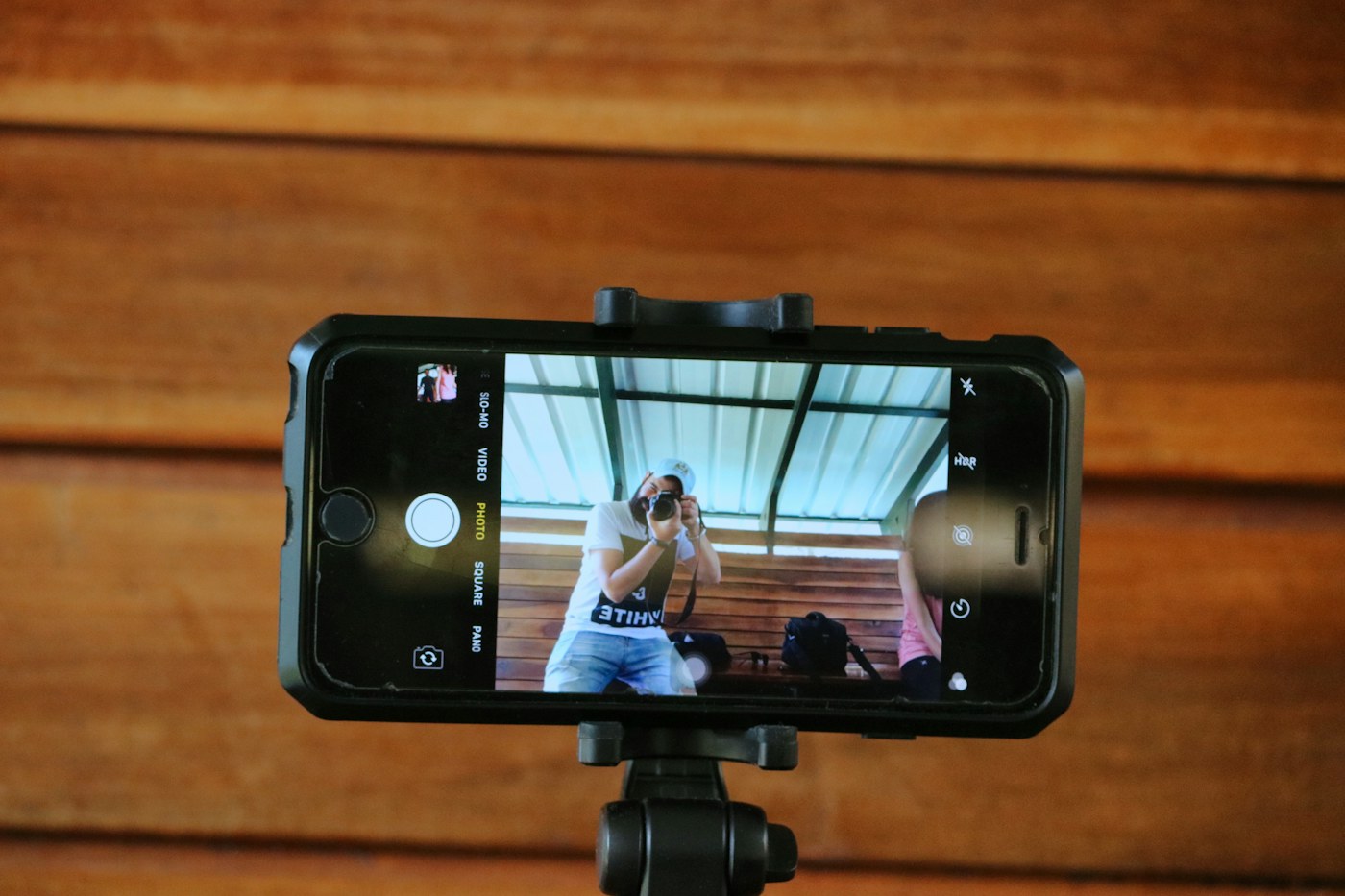
三脚に立てたスマートフォンで撮影している / A phone on a tripod, filming
STEP 1

横から撮るFilm from the side

iPhone を三脚に立てて、動きを横から撮ります。120fps(スローモーション設定)がおすすめです。Put the iPhone on a tripod and film the movement from the side. 120 fps (slo-mo setting) is recommended.
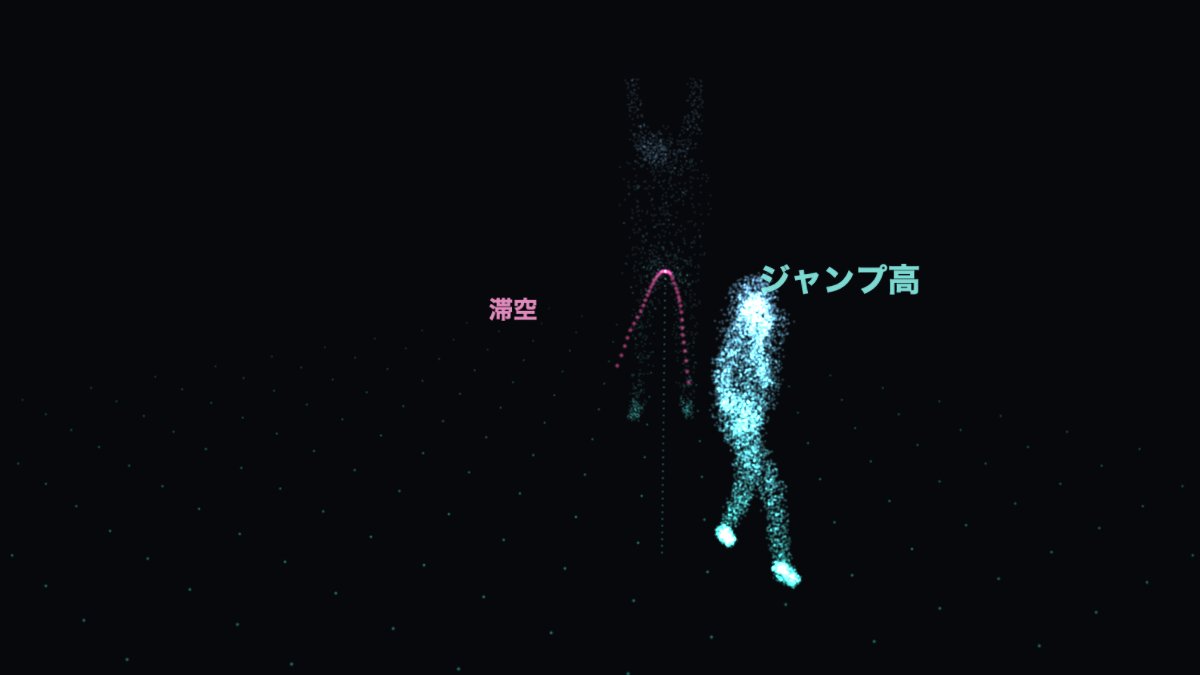
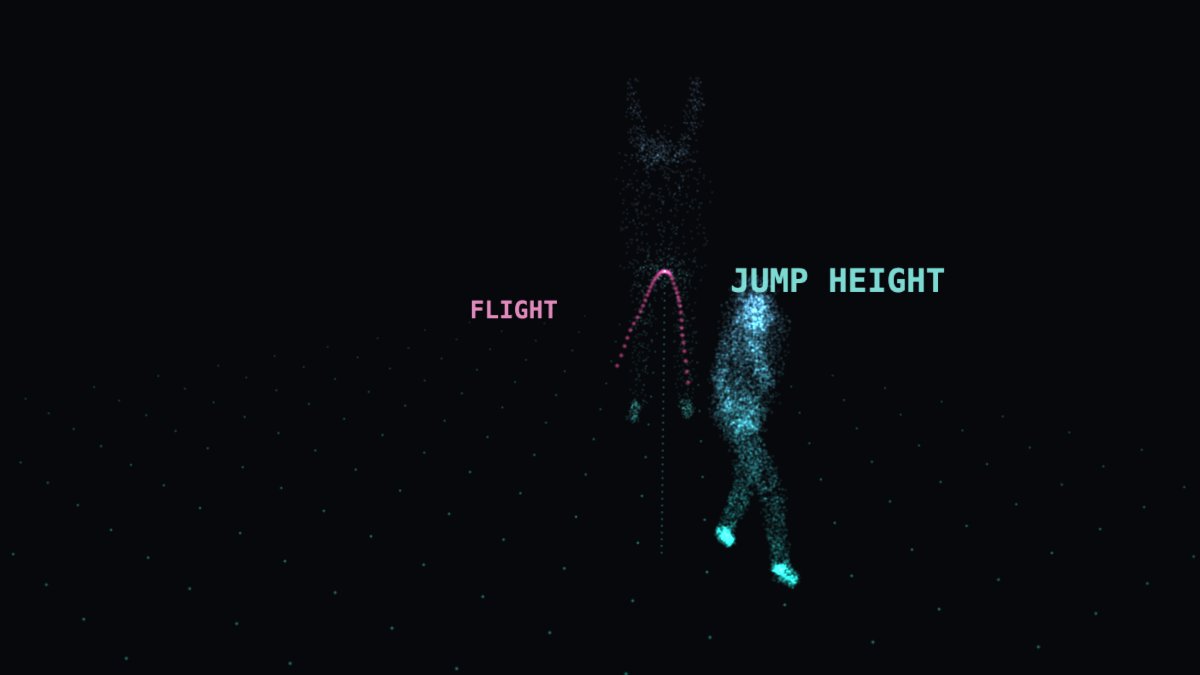
追跡した動きを点群で表示したホログラムTracked motion rendered as a point cloud
STEP 2

アプリが解析するThe app analyzes it

独自の計測エンジンが、動画の中の体の動きを立体的に追跡し、実際の長さと時間で数値にします。処理は iPhone の中だけで行われます。Our measurement engine tracks the body's motion in 3D and turns it into real lengths and times. Everything runs on the iPhone.
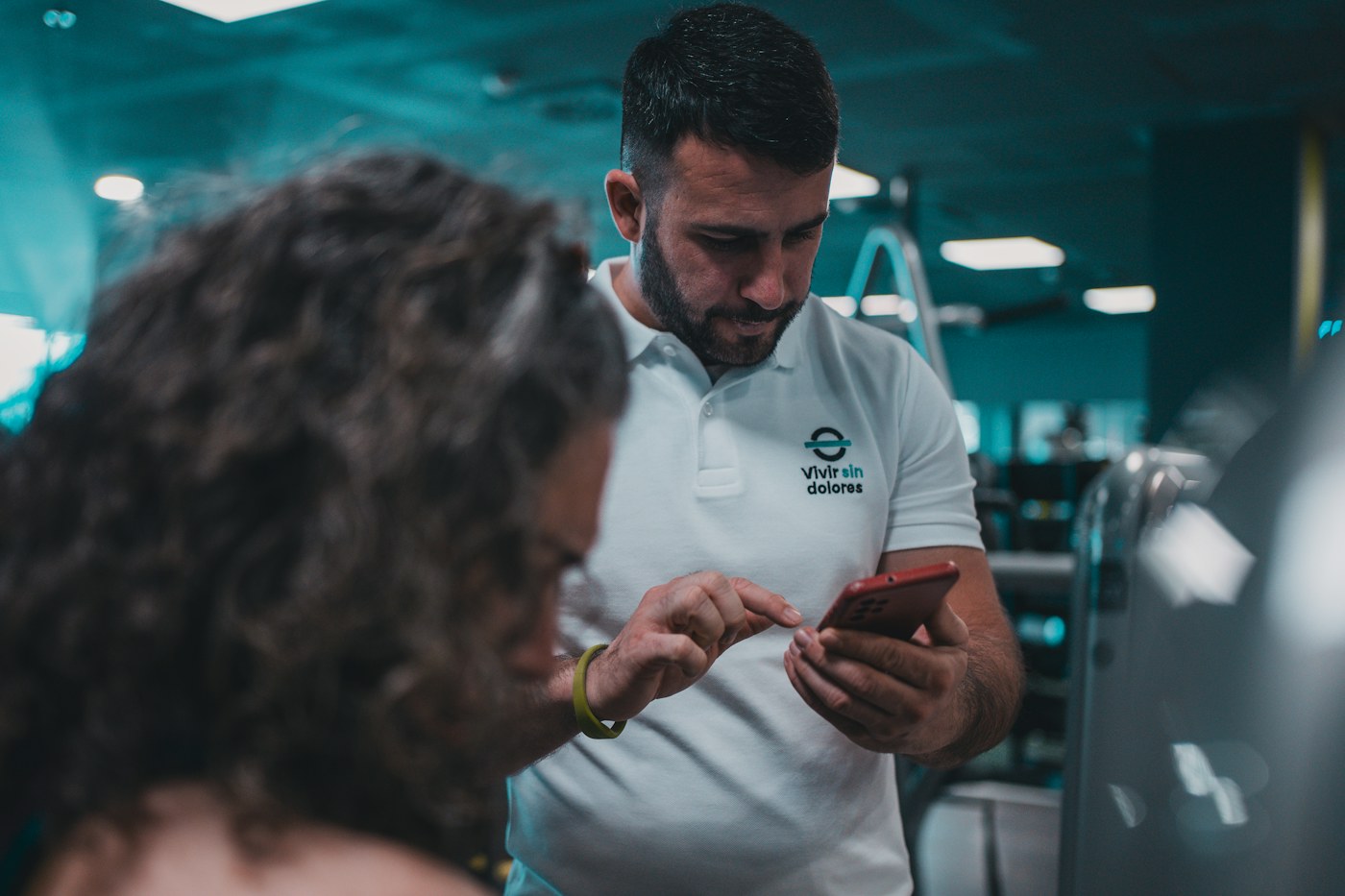
コーチと選手がスマートフォンの結果を見ている / Coach and athlete looking at results on a phone
STEP 3

結果を見るRead the result

「ジャンプ高 49 cm・滞空時間 0.63 秒」のような数値と、判定に使ったコマ(離地・頂点・着地)が表示されます。You get numbers like "jump height 49 cm, flight time 0.63 s," plus the frames used to decide them (take-off, apex, landing).
独自の計測エンジンOur measurement engine

動画の中の動きを、
立体的に捉えて数値にします。
It captures the motion in 3D,
and turns it into numbers.

iPhone 1台の動画から、関節の動きを立体的に追跡します。種目ごとに計測の仕方を作り込み、数値を出す前にエンジン自身が検証します。この検証の仕組みは、米国に特許を出願中です。From a single iPhone video, the engine tracks joint motion in three dimensions. Each event has its own purpose-built measurement, and the engine verifies every value before it is shown — a method for which a US patent is pending.

実際のジャンプ動画から追跡した動き。表示はイメージです。Motion tracked from a real jump video. Rendering is an illustration.
01
実際の長さと時間でIn real units「画面上で何ピクセル」ではなく、cm と秒で結果を返します。Not pixels on a screen — centimeters and seconds.
02
種目ごとに作り込むBuilt per event走幅跳の踏切、バスケットのジャンプ、短距離の接地。測るものに合わせて、計測の仕方が違います。A long-jump take-off, a basketball jump, a sprint contact — each is measured its own way.
03
出す前に、自分で検証するVerifies before it reports検証を通った数値だけを表示します。通らなければ、「測定できませんでした」と伝えます。Only verified values are shown. If a value fails, the app says "could not measure."
信頼できる数値のためにNumbers you can rely on

測れなかったときは、
そう表示します。
When it can't measure, it says so.

正しく測れない動画には、それらしい数値を出す代わりに「測定できませんでした」と表示します。暗い、ぶれている、体が小さく写っている——そうした動画でも、表示されるのはエンジンの検証を通った数値だけです。When a video can't be measured properly, the app says "could not measure" instead of showing a plausible-looking number. Dark, shaky, or distant footage — only values that pass the engine's verification are shown.

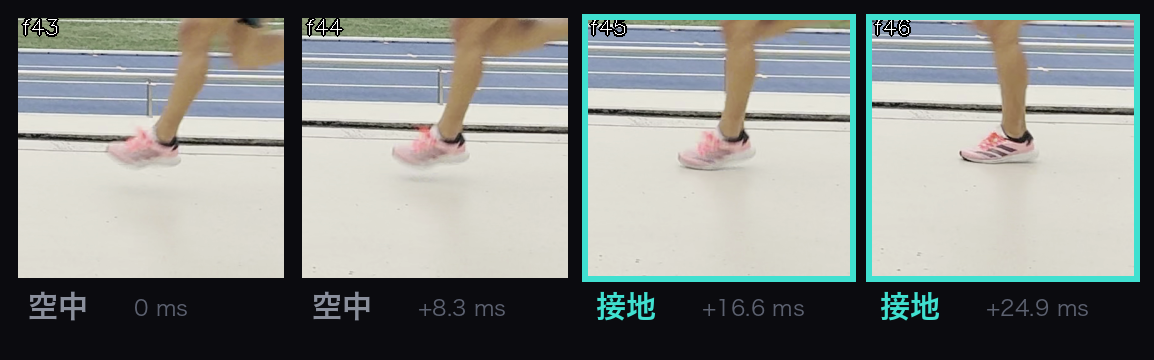
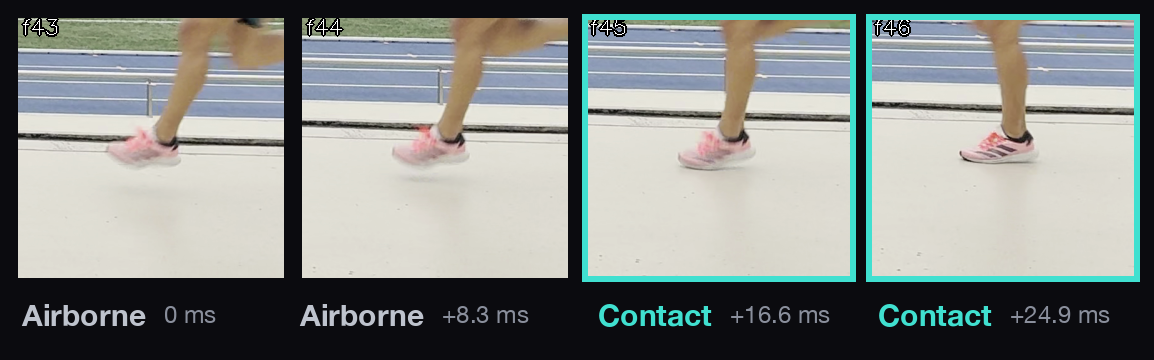
120fpsの連続4コマ。空中・空中・接地・接地Four consecutive frames at 120 fps: airborne, airborne, contact, contact
120fps で撮った連続4コマ。接地時間を測るとは、足が地面についた最初のコマ(ここでは3コマ目)を当てることです。1コマは 1/120 秒=約8ミリ秒。Four consecutive frames at 120 fps. Measuring contact time means identifying the first frame where the foot touches the ground (here, the third). One frame is 1/120 s — about 8 ms.
アプリ一覧The apps

種目ごとに、
アプリが分かれています。
A separate app for each event.

現在 App Store で公開中なのは VerticalJumpTest(垂直跳び)。測るものが種目ごとに違うため、アプリも種目ごとに作っています。短距離・跳躍・バスケットボールのアプリを順に公開していく予定です。VerticalJumpTest (vertical jump) is on the App Store now. Each event measures different things, so each gets its own app; sprint, jump and basketball apps will follow.

100m接地時間・ピッチcontact time · cadence
Start反応と加速reaction · accel.
Hurdles踏切と着地take-off · landing
Long Jump踏切と距離take-off · distance
Triple Jump3歩の距離配分phase distances
Pole Vault助走と突っ込みrun-up · plant
Javelinリリースの速度release speed
Rebound Jump接地時間・跳躍高contact · jump height
Landing着地のひざの向きknee alignment
Dunk跳躍高・最高到達点jump height · reach
練習の合間に話す二人の選手 / Two athletes talking between sessions
Photo: Andrea Tummons / Unsplash
自分で測りたい選手へFor athletes measuring themselves

チームに入っていなくても、
今日の練習から始められます。
No team required.
Start at today's practice.

アプリは個人でも使えます。iPhone を置いて跳ぶだけで、ジャンプの高さと滞空時間が残ります。垂直跳びを測る VerticalJumpTest は App Store で公開中。短距離・跳躍・バスケットボールのアプリも、順に公開していきます。The apps work for individuals. Set your iPhone down, jump, and your jump height and flight time are recorded. VerticalJumpTest is on the App Store now; sprint, jump and basketball apps follow.

  • 毎回の記録が自動で残り、自己ベストと推移が見えるEvery attempt is saved; see your best and your trend
  • 動画は iPhone の外に出ないYour video never leaves the iPhone
  • コーチと共有したくなったら、Actynq ID でWhen you want to share with a coach: Actynq ID
代表Founder

Brandon Eberlイベル ブランドンBrandon Eberl

Brandon Eberl

Actynq LLC 創業者 & CEO。走幅跳・三段跳の競技者。Founder & CEO, Actynq LLC. Long and triple jumper.

  • 2021洛南高等学校 卒業(陸上競技部)Rakunan High School (track & field)
  • 2025.03慶應義塾大学 総合政策学部 卒業B.A., Keio University (Faculty of Policy Management)
  • 2025.03Actynq LLC 設立(米国アリゾナ州、開発拠点:横浜)Founded Actynq LLC (Arizona; development in Yokohama)
  • 2026NVIDIA Inception 採択。大学・研究機関との共同研究を開始Accepted to NVIDIA Inception; joint research with universities begins
会社について ›About the company ›

試してみたい方は、ご連絡ください。Want to try it? Get in touch.

練習や記録会での試験計測のご相談を受け付けています。研究での利用、自社製品への組み込み(SDK)も。1営業日以内に返信します。We take requests for trial measurements at practice or meets, research use, and integration into your own product (SDK). We reply within one business day.

解析は iPhone の中で行い、動画はサーバーに送信しません。2026年11月、研究用計測機器との比較検証の結果を公開予定です。Analysis runs on the iPhone; videos are not uploaded. Results of our validation against laboratory instruments will be published in November 2026.